


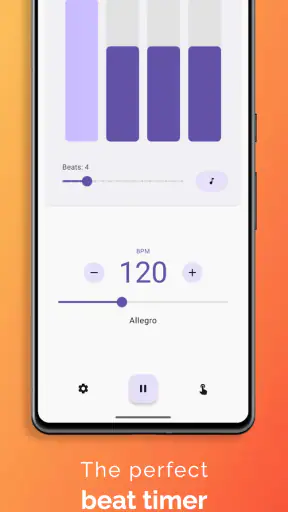
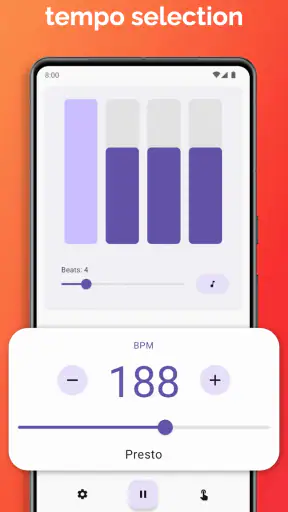
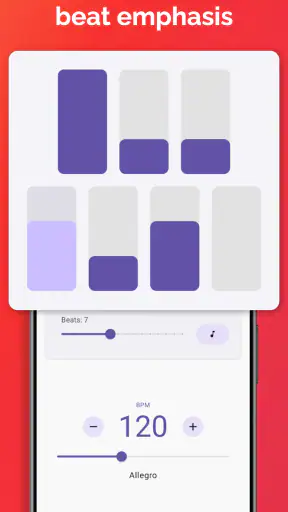
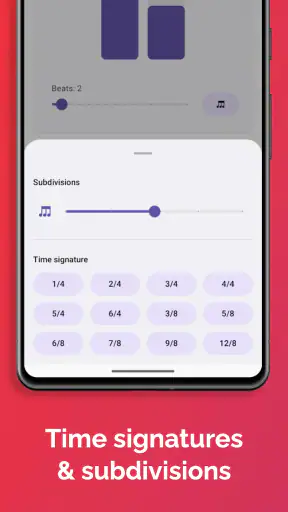
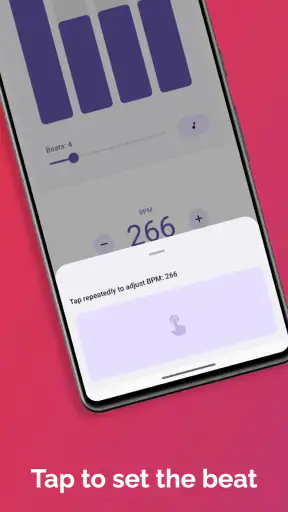
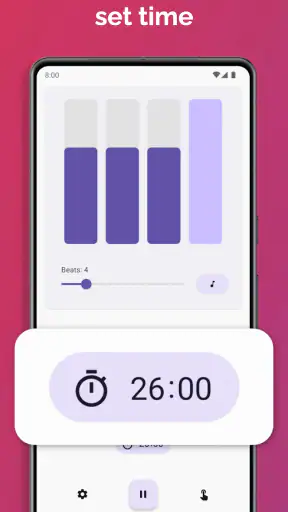
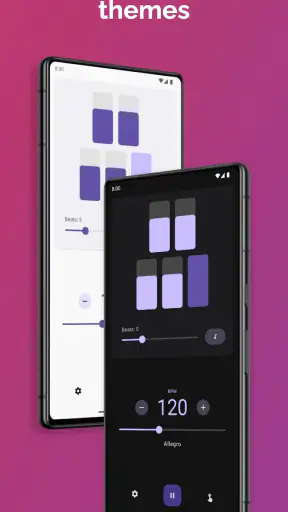
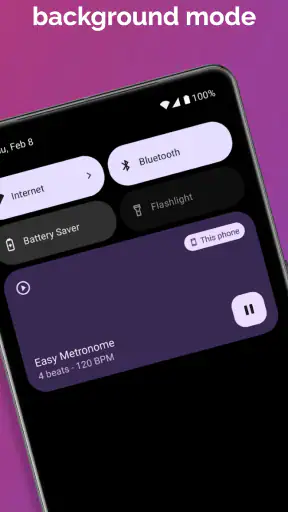
When I practice an instrument, the metronome is supposed to disappear into the routine. I do not want to fight with a crowded interface, wait for a screen to react, or wonder whether the beat will keep going when I change how I use my phone. Easy Metronome, made by Digipom, takes a focused approach to that job. It is a free Music & Audio app for Android, aimed at instrument practice and live music performance, and my overall impression is that its value comes from keeping the central task clear: choosing a tempo and staying with it.
That simplicity makes it easy to recommend to beginners, singers working on timing, instrumentalists building a practice habit, and experienced players who want a straightforward pulse without turning their phone into a full production system. It is not the kind of app I would choose when I need a complete rhythm workstation, detailed recording tools, or an elaborate arrangement environment. Its strength is narrower and more practical. It gives the metronome role priority.
How Easy Metronome feels during real practice
On a normal day, I would use it in a short session like this: I take out my phone before working through scales, set a comfortable tempo, and let the steady pulse expose uneven transitions. After a few minutes, I raise the pace only when the movement feels controlled. That workflow sounds basic, but it is exactly where a metronome earns its place. A tool that makes tempo changes feel approachable is more useful than one that offers a long list of options I never touch.
The app’s store summary emphasizes precise tempo for practice and live playing, and that purpose comes through in the way I assess it. The important question is not whether it can replace every musical utility. It is whether I can open it, understand what I am looking at, and begin practicing without unnecessary setup. Easy Metronome is well suited to that quick start.
Its current version is 1.3.8, and the app has reached over a million installs. A 4.9 average from around 35 thousand ratings also suggests that its focused design connects with a large group of users. I would not treat popularity as proof that every musician will love it, but those figures fit the experience of an app built around a clear, repeatable task rather than a complicated feature set.
Speed expectations: quick enough for the everyday job
For a metronome, perceived speed is mostly about how quickly I can move from opening the app to hearing a useful beat. Easy Metronome benefits from not asking me to navigate through unrelated content. That matters before a practice session, during a lesson, or when I suddenly realize that my timing is drifting and want an immediate reference.
I also like the distinction between starting quickly and working quickly. A fast launch is helpful, but the real test is whether changing the tempo fits naturally into practice. I often begin slower than I think I need, play a passage several times, and then increase the pace in small steps. A metronome is more valuable when it supports that gradual process than when it merely produces a beat at a single setting.
There is a practical trade-off here. A dedicated metronome app can feel faster than a general music app because it does not make me browse through tracks, presets, or recording projects first. On the other hand, users who already keep a hardware metronome beside their instrument may find little reason to add a phone-based option. Physical controls can be satisfying when both hands are busy, and a phone introduces the usual possibility of interruption from the device itself.
My advice is to treat the app as a convenient practice companion, not as a replacement for every kind of timing equipment. It is especially useful when I am carrying only my phone, moving between rooms, or helping a student who needs a simple reference immediately. It is less compelling for someone who wants tactile controls, a visible piece of studio equipment, or a tool that remains independent of a phone.
Heavy-use moments: where a simple tool earns its keep
The most demanding use is not necessarily a long practice session. It is the moment when I change tempo repeatedly, stop and restart a passage, or use the app while concentrating on a difficult part. Those moments reveal whether the interface gets in the way. Easy Metronome’s focused purpose makes it a sensible choice for repeated short sessions: warm-ups, rhythm drills, scale work, chord changes, and rehearsing a section that keeps rushing.
One useful habit is to use the beat as a diagnostic rather than a background sound. I can play a passage slowly enough to notice where I anticipate the pulse. If the notes only feel comfortable when I speed up, that may indicate that I am hiding timing problems. Working at a restrained tempo with a clear reference often teaches more than repeatedly playing at performance speed.
Another practical workflow is to separate technical practice from musical practice. I might begin with a strict pulse while learning a fingering pattern, then turn my attention to phrasing once the movement is reliable. Easy Metronome fits the first part especially well. It does not need to become the center of the session; it can simply provide an external clock until I no longer need to think about every beat.
For live performance, the situation is more complicated. A phone-based metronome can be useful during rehearsal, sound checks, or small informal performances where the setup is controlled. I would be more cautious about relying on any phone app as the sole timing source for an important show. Notifications, battery condition, accidental touches, and the acoustics of the venue all matter. The app’s intended use includes live music performance, but the responsibility for a dependable live setup still belongs to the performer.
When using it around other musicians, I would decide in advance whether the beat is for me alone or for the whole group. A pulse that is helpful in headphones or close practice can become distracting if it leaks into a microphone. The best workflow is to test the arrangement before the performance rather than assume that a convenient phone app will fit every stage setup.
Reliability: what I look for beyond a steady beat
Reliability has two layers. First, the tempo must remain consistent during use. Second, the app should recover gracefully from ordinary interruptions such as switching briefly to another task, locking the screen, or returning to practice after a pause. I judge Easy Metronome primarily as a focused utility, so I expect it to behave predictably when I use it for repeated sessions rather than treating it like a large media platform.
Still, a reviewer should be honest about the limits of any phone-based tool. The app depends on the phone’s audio system and the way the operating system handles background activity. If I am preparing for an important performance, I would test the exact device, sound output, and setup beforehand. That is not a criticism unique to this app; it is a sensible precaution whenever a phone becomes part of a musical performance.
Recovery is also about my own workflow. If I stop practicing for a day, I want to return without rebuilding a complicated project. A focused metronome has an advantage here because the task is easy to understand again. I can use it for a five-minute exercise or a longer session without needing to remember a complicated arrangement of screens.
The app is free, which lowers the barrier to trying it. Optional in-app purchases range from $1.49 to $1.99 per item. That makes it approachable for someone who only needs a basic tempo reference, while users who choose paid items should consider whether those additions solve a real problem in their routine. I would not pay simply because an app is popular; I would pay only if the extra value directly improves how I practice.
Device constraints and the difference between convenient and ideal
Because Easy Metronome turns a phone into a musical tool, the device itself becomes part of the experience. Screen visibility matters when I am adjusting tempo from a music stand. Speaker volume matters when I am playing an instrument with a strong acoustic presence. Battery level matters even more if I am using the phone for other tasks at the same time.
I would place the phone where I can reach it without interrupting my posture or technique. For guitar, piano, or voice practice, that may mean keeping it on a stand rather than beside the instrument. For a drum setup or a loud rehearsal room, the phone’s built-in speaker may not be the right output. In that situation, a suitable external audio arrangement or a dedicated hardware metronome may be more practical.
There is also a concentration issue. A phone is both a useful tool and a source of distractions. Even when the metronome itself is simple, incoming messages or the temptation to check another app can break the practice loop. I would prepare the device before starting: silence avoidable interruptions, place it where I will not constantly touch it, and decide whether I need to look at the screen at all.
These constraints do not make the app a poor choice. They help define who will get the most from it. It is excellent for portable practice, casual rehearsal, lessons, and anyone who wants to avoid carrying another piece of equipment. It is less ideal for a musician who needs large physical controls, highly visible stage hardware, or a completely isolated timing source.
How it compares with the usual alternatives
The most obvious alternative is a physical metronome. Hardware wins when I want dedicated controls, predictable access, and no temptation to use the phone for something else. It can also feel more dependable in a formal practice room or performance setup. Easy Metronome wins on portability and convenience: I already carry the phone, and I can use the same device for a quick exercise almost anywhere.
Another alternative is a broader music utility with a metronome included alongside tuners, recording functions, drum patterns, or lesson tools. Those apps can be better for musicians who want several tools in one place. The cost is usually a busier experience. If I only need a clean pulse, a specialized app can be easier to return to than a large toolbox.
There is also the option of using a general audio track or a rhythm video. That may help with groove and musical context, but it is not the same as practicing against a controlled metronomic reference. A track can encourage me to follow rather than reveal exactly where my timing slips. Easy Metronome is better for disciplined tempo work, while a backing track is often more enjoyable once the basic timing is secure.
For a beginner, I would choose this app when the main goal is learning how to practice with a pulse. For an advanced performer, I would choose it when portability matters and the required setup is simple. I would look elsewhere when the session depends on elaborate rhythmic programming, integrated recording, or specialized stage hardware.
Who should use it, and who should skip it
I think Easy Metronome is a strong fit for students, teachers, singers, instrumentalists, and hobbyists who want a direct way to work on timing. It is also useful for people who practice in short bursts. A five-minute rhythm exercise is easier to start when the tool feels uncomplicated, and those small sessions can add up to meaningful improvement.
Someone who is new to metronomes may appreciate the app because it does not require a large commitment. Start with a slow tempo, play a simple pattern, and listen for whether the notes line up with the beat. If that feels difficult, the answer is usually not to abandon the metronome immediately. It may be better to simplify the passage, reduce the tempo, or clap the rhythm before playing it.
I would skip it if I specifically need a hardware-like experience or a full professional rhythm environment. I would also avoid making it the untested centerpiece of a high-stakes performance. The app can support rehearsal and performance workflows, but musicians should verify their phone, audio path, power situation, and interruption settings before depending on them in front of an audience.
The age rating is Everyone, which matches the app’s straightforward purpose. There is no learning curve that should intimidate a casual user, although musical progress still depends on how thoughtfully the beat is used. A metronome cannot correct technique by itself; it gives me feedback, and I have to respond to that feedback honestly.
My performance verdict
After looking at speed, heavier practice moments, reliability, recovery, and device limitations, I see Easy Metronome as a focused utility that succeeds by not trying to be a complete music studio. Digipom has positioned it for a very specific need, and that makes the app easier to recommend when that need is exactly mine.
Its free entry point is important, especially for beginners who are not ready to buy dedicated equipment. The strong user response, with around 35 thousand ratings and an average of 4.9, supports the impression that many people find this focused approach useful. More than a million installs also make it a familiar option among phone-based metronomes. I still prefer to judge it by the workflow rather than the popularity: open it, set a tempo, practice deliberately, and notice where the pulse exposes weaknesses.
The main trade-off is equally clear. Convenience comes from using a phone, but the phone brings distractions, battery concerns, audio limitations, and less tactile control than hardware. Those are real considerations, not reasons to dismiss the app. They simply tell me when to use it casually, when to test it carefully, and when to choose a different tool.
My recommendation is simple: choose Easy Metronome if you want a portable, focused tempo companion for everyday practice. It is especially good for building consistency, checking difficult passages, and making a metronome part of a regular routine. If your needs extend to advanced rhythm programming, recording, or a stage-ready hardware setup, another option will serve you better. For everyone else, this is the kind of small utility that can quietly improve practice because it makes the right habit easy to begin.


